

The G1 Fingerprint Door Knob Lock is worth buying if you’re shopping door knobs interior and already have a standard doorknob hole cut, since it stores up to 50 fingerprints and takes a couple seconds to lock. Skip it if your door has no existing hole to work with.
This post contains affiliate links. I may earn a commission at no extra cost to you.
How this review was made: written from my own video review of this product. Every opinion here is my own, from using it myself.
Quick Verdict
I tapped my finger, twisted, and it locked in a couple seconds flat. Installation used the hole already in my door, no drilling involved.
Buy if you:
- have a standard doorknob hole already cut
- want multiple family members’ fingerprints stored (up to 50)
- like having a passcode backup option too
- need it on a bedroom, office, or apartment interior door
Skip if you:
- don’t have an existing doorknob hole, since that makes the install “more involved”
- want an exterior-rated deadbolt instead of an interior knob
- need a hardwired or wifi-connected smart lock with an app
| Fingerprint capacity | Up to 50 IDs |
|---|---|
| Passcode capacity | Up to 100 admin/user codes (4-8 digits) |
| Backup entry | 2 mechanical keys included |
| Battery | 4 × AAA (not included), up to 1 year |
| Door fit | 1-1/4″ to 2-1/4″ thick, 2-3/8″ or 2-3/4″ backset |
| Charging backup | Type-C port for power bank |
I Tapped and Twisted. It Locked in Seconds.
As you can see in the video, the fingerprint recognition is really good. I tap my finger there, then I twist, and it locks. It takes a couple seconds to lock, and I think you can actually hear it 0:15 when it happens. Once it’s locked, you can’t open the door unless you use your fingerprint or a passcode, which is kind of the whole point of buying one of these for door knobs interior use instead of a plain knob.
Between the two, the fingerprint is noticeably faster, tapping a code still beats a key search in a dark hallway, but your fingertip beats both. That speed gap is the whole reason to spend more than a plain knob costs, and it’s the thing you’ll actually feel on your hundredth unlock, not your first.
Setup Took One Existing Hole and a Screwdriver
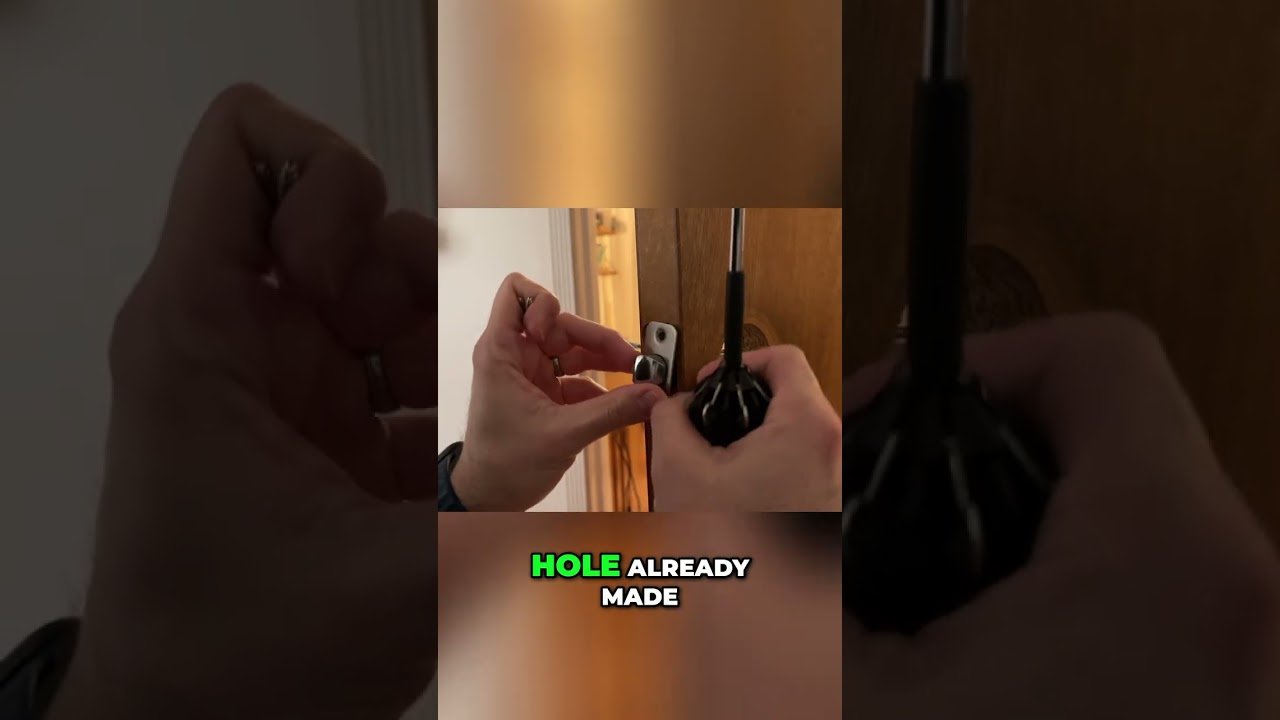
Installation was two screws on the strike plate, two screws on the knob, and it was done before I had time to second-guess myself. I had the camera rolling the whole time, and the footage is almost embarrassingly short, no wall anchors, no wiring, no template alignment.
That said, if you don’t have an existing hole in your door, this may be a little bit more involved. The listing says it fits standard doors from 1-1/4″ to 2-1/4″ thick with a 2-3/8″ or 2-3/4″ backset, but matching that spec and cutting a new hole isn’t the same ten-minute job I had. If your door’s already prepped for a knob, you’re in good shape. If it’s not, budget more time, or more patience, than what I showed.
What You’re Paying For Versus a Plain Knob
A basic interior door knob costs less and does one thing. This one adds fingerprint storage for up to 50 users, a 100-code keypad, and two backup keys so you’re never locked out even if the batteries die. Amazon has it ranked around #13,921 in Tools & Home Improvement right now, and over 500 people bought one in the past month, so it’s not some no-name listing nobody’s touched. It has cooled off a bit from its 90-day average rank near #10,752, which tells me it’s not the hot new thing anymore, but it’s still moving.
For the money, you’re buying convenience on a door where you don’t want to deal with keys constantly, a kid’s room, a home office, a shared apartment door. I wouldn’t put this on a front exterior door looking for deadbolt-level security. It reads as an interior upgrade, not a security system replacement.
Battery Life and the Backup Keys Matter Here
Four AAA batteries aren’t included, and the listing claims up to a year of life on them. I didn’t run it that long on camera, obviously, but the design choices back up longevity as a priority: there’s a Type-C port on the bottom so you can hook up a power bank if the batteries die, and two mechanical backup keys ship with it so a dead battery never actually locks you out. That’s the kind of detail that matters more over months of daily use than it does on day one.
How the Fingerprint Sensor Actually Reads You
I registered my right hand first, locked the door, then unlocked it again with my left hand 1:02, both worked without fumbling. Both worked. You can set up multiple fingerprints for multiple family members, or multiple fingers for yourself, which covers the real-world case of showing up with a bandaged thumb or wet hands. The sensor sits on top of the knob, lit up so you can find it in the dark, and the self-learning claim in the listing lines up with what I saw: it didn’t fumble on repeat taps once it had my print stored.
Where This Knob Isn’t the Right Fit
No existing doorknob hole means a harder install than what I filmed, full stop. This also isn’t a wifi smart lock, so there’s no app, no remote unlock from your phone, no activity log to check later. If you’re shopping door knobs interior for a front door that needs an exterior-rated deadbolt, this isn’t that category of hardware either. It’s built for interior spaces, bedrooms, offices, apartments, where fingerprint convenience matters more than weatherproofing or remote access.
My Take After Testing the Lock and Unlock Cycle
I keep coming back to how little friction there was, both installing it and using it day to day. Tap, twist, done. The passcode backup and the two mechanical keys mean you’ve got three ways in if one option fails, and that redundancy is worth more than it sounds on paper once you’re actually relying on it. If your door already has a knob hole, this is the upgrade: tap, twist, done, with a keypad and two mechanical keys as backup so a dead battery is never actually an emergency. If you’re starting from bare wood, or you need something weatherproofed and app-connected for a front door, that’s a different product category entirely.
Frequently Asked Questions
Does the G1 Fingerprint Door Knob work on exterior doors?
It’s marketed and built for interior spaces like bedrooms, offices, and apartments, not exterior security. If you need an exterior-rated lock, look at a deadbolt built for weather exposure instead.
Do I need an app or wifi to use it?
No. It runs entirely off fingerprint, passcode, or the two included mechanical keys, no app, no account, no subscription. That also means no remote unlock or activity log.
What happens if the batteries die?
You’ve got two backups: a Type-C port on the bottom for a power bank, or the two mechanical keys that ship in the box. You’re never actually locked out from a dead battery.
How many fingerprints can it store?
Up to 50 fingerprint IDs, plus up to 100 passcodes between 4 and 8 digits. That’s enough for a full household or a small shared office to each have their own way in.
Clicking takes you to Amazon. As an Amazon Associate we earn from qualifying purchases — pricing and availability subject to change.
Get it now
G1 Fingerprint Door Knob Lock
Get the best price on Amazon →Affiliate link. See the disclosure at the top of this post.

🛍️ Shop everything in this video
Every product mentioned, in one place. These are affiliate links, so I may earn a small commission at no extra cost to you.
🛍️ Smart Lock Fingerprint: check price on Amazon →